

Just a quick blog post if anyone else finds the same problem after following Microsoft’s article on setting up Redirected Folders
Deploy Folder Redireciton with Offline Files
In my test environment everything went well except I noticed I wasn’t able to access the users file on the file server under the domain or local admin accounts.
To fix this, go back to your GPO and navigate to User Congiruation > Policies > Windows Settings > Folder Replication and modify the properties for each Redirected Folder and uncheck ‘Grant the user exclusive rights to foldername‘
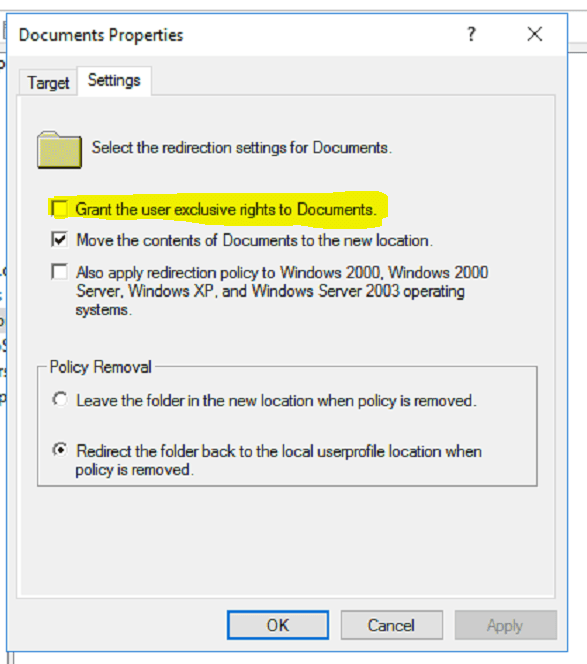
Of course, don’t forget to perform a gpupdate /force on the computer, however the setting does not seem to change the permissions of existing folders in the share. If anyone knows a better way or a way around this, feel free to leave a comment!

Adam leads the Itopia team in Brisbane, helping professional-services firms get secure, productive and confident with their technology, in plain English.